YUNYAO Get in touch

Digital Ecosystem for IoT Product Development

A VR digital twin of the DAI-Labor Smart Home Showroom, built in collaboration with DFKI as part of the BMBF-funded KosmoS research project.

Industry
VR, IoT, Smart Home
Responsibilities
I designed the user flow, the interaction model, and the UI for the VR digital twin, and conducted the internal user testing. The technical VR implementation was carried out by a colleague from the mixed-reality team. My role was to define how the experience should feel inside the headset and to validate that intent with real users.

Digital Twin is a 1:1 digital replica of the DAI-Labor Smart Home showroom. Operating within the Internet of Things (IoT) ecosystem, it utilizes virtual reality technology to enable remote control of electronic devices in the showroom.

During the pandemic, the Digital Twin served as a mobile testing environment in collaboration with DFKI, supporting smart product development projects. It continues to play a key role in the Digital Pflege 4.0 project, where it functions as a digital model to showcase the smart home features within the initiative.

01 · Process

Mirroring a physical showroom when on-site work became impossible

Digital Twin was built during the COVID-19 pandemic, when access to the DAI-Labor's smart home showroom and on-site partner collaboration had become difficult or impossible. The project ran in collaboration with DFKI as part of the KosmoS programme, a research initiative funded by the Bundesministerium für Bildung und Forschung (BMBF). Within that partnership, DFKI provided the management and technical-support side of the work, and the DAI-Labor team owned the showroom and the digital twin built on top of it.

The goal was deliberately practical. Our partners, who develop smart IoT products, needed a way to test their devices inside a realistic connected-home environment without being physically present. Rather than build an abstract simulator, we made a 1:1 digital replica of the actual showroom: the same physical layout, the same connected devices, and the same IoT backend.

Within the team, I was responsible for the user flow, the interaction model, the UI, and the internal user testing. The technical VR implementation itself was carried out by a colleague from the mixed-reality team. My role was to define how the experience should feel inside the headset and to validate that intent with real users from our internal pool.

Digital Twin scene
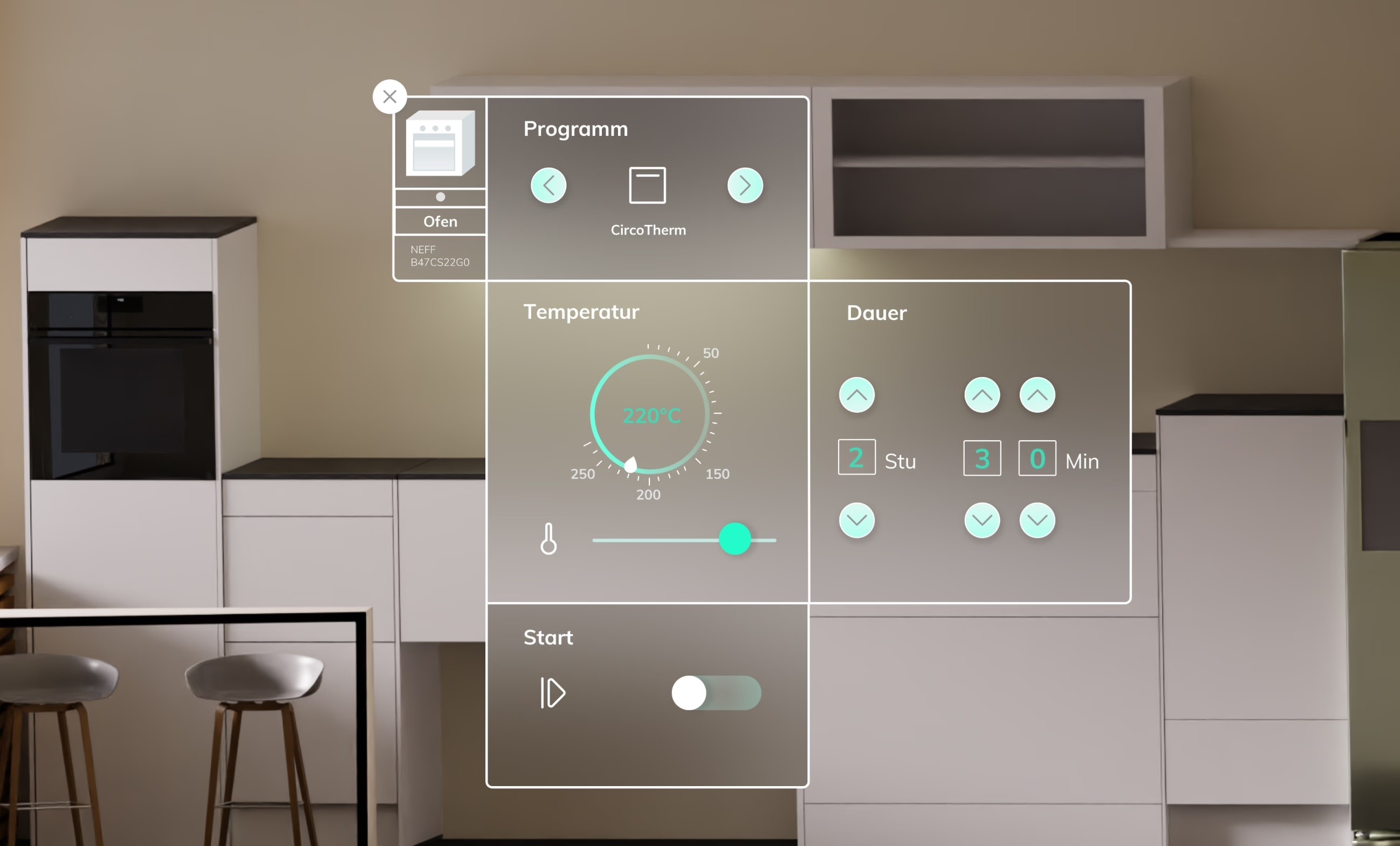
Digital Twin VR interface

When developing smart IoT products, developers need to test their solutions in an environment where they can interact with other connected devices. However, finding suitable platforms that provide such IoT testing conditions is challenging.

Additionally, during the pandemic, travel restrictions made it impossible to conduct tests in physical showrooms. Even beyond the pandemic, in-person attendance at exhibitions is not always feasible or convenient for all visitors.

To closely replicate the showroom experience, we developed a 1:1 visual model of the showroom, where all devices are connected to an IoT platform and can be remotely controlled.

For a more immersive experience, we integrated the Digital Twin into a VR environment and designed a user-friendly interface to enhance interaction and device operation within the virtual space.

02 · Designing for VR

Familiar device controls, adapted to the controller in your hand

The central UX decision in Digital Twin was a tension that runs through every well-designed VR product: how closely should a virtual interaction stay to the real-world interaction it replaces, and how far should it adapt to the medium it actually lives in?

For Digital Twin specifically, two competing requirements had to be reconciled. On one side, the operation of each device, switching on a light, adjusting a thermostat, opening a blind, should feel familiar to anyone who had used the physical showroom, or, more importantly, the real product a partner was testing. On the other side, the user is not standing in front of the device. They are holding two VR controllers and navigating a virtual room. A 1:1 replica of the physical button layout would be ergonomically wrong inside a headset.

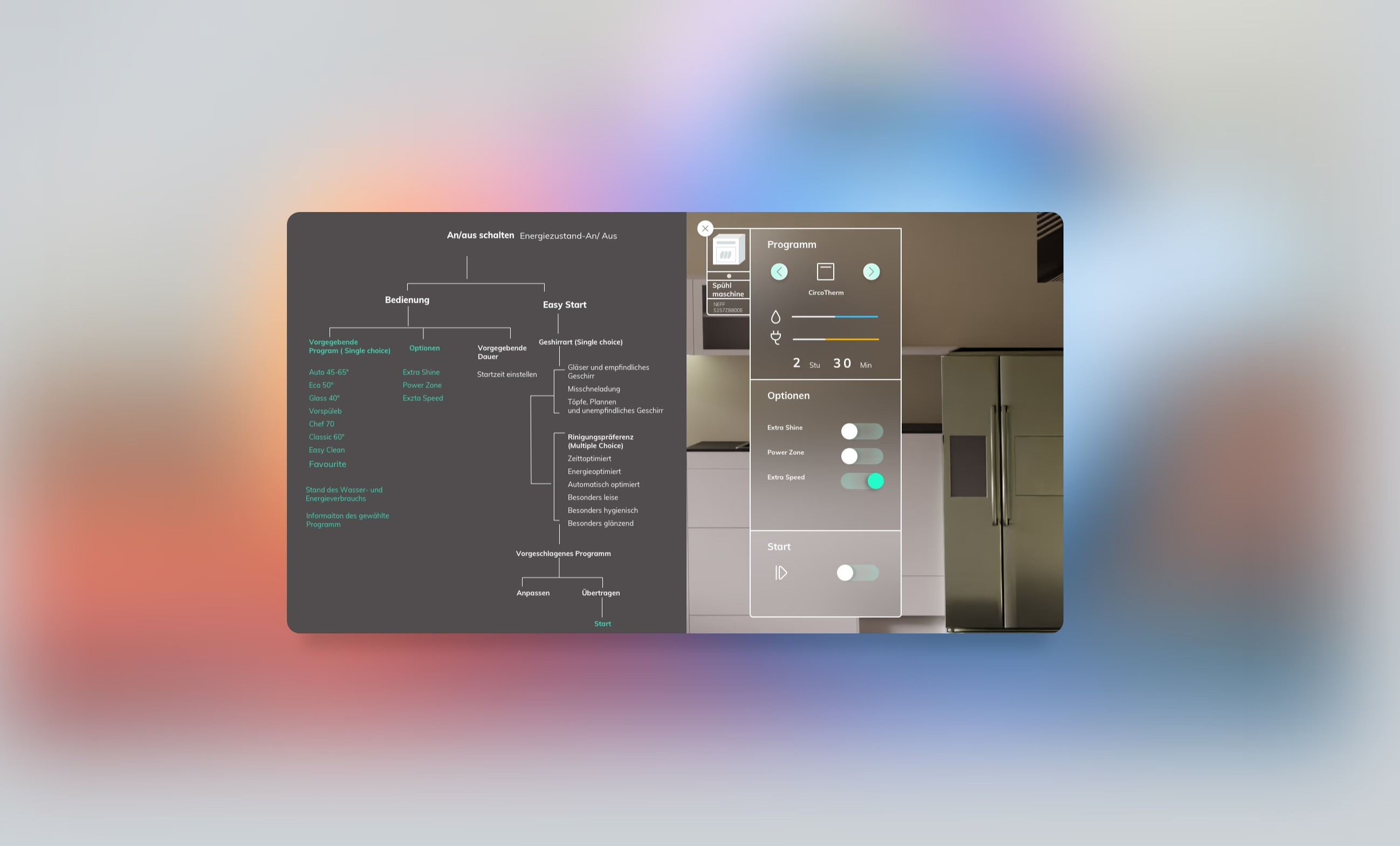
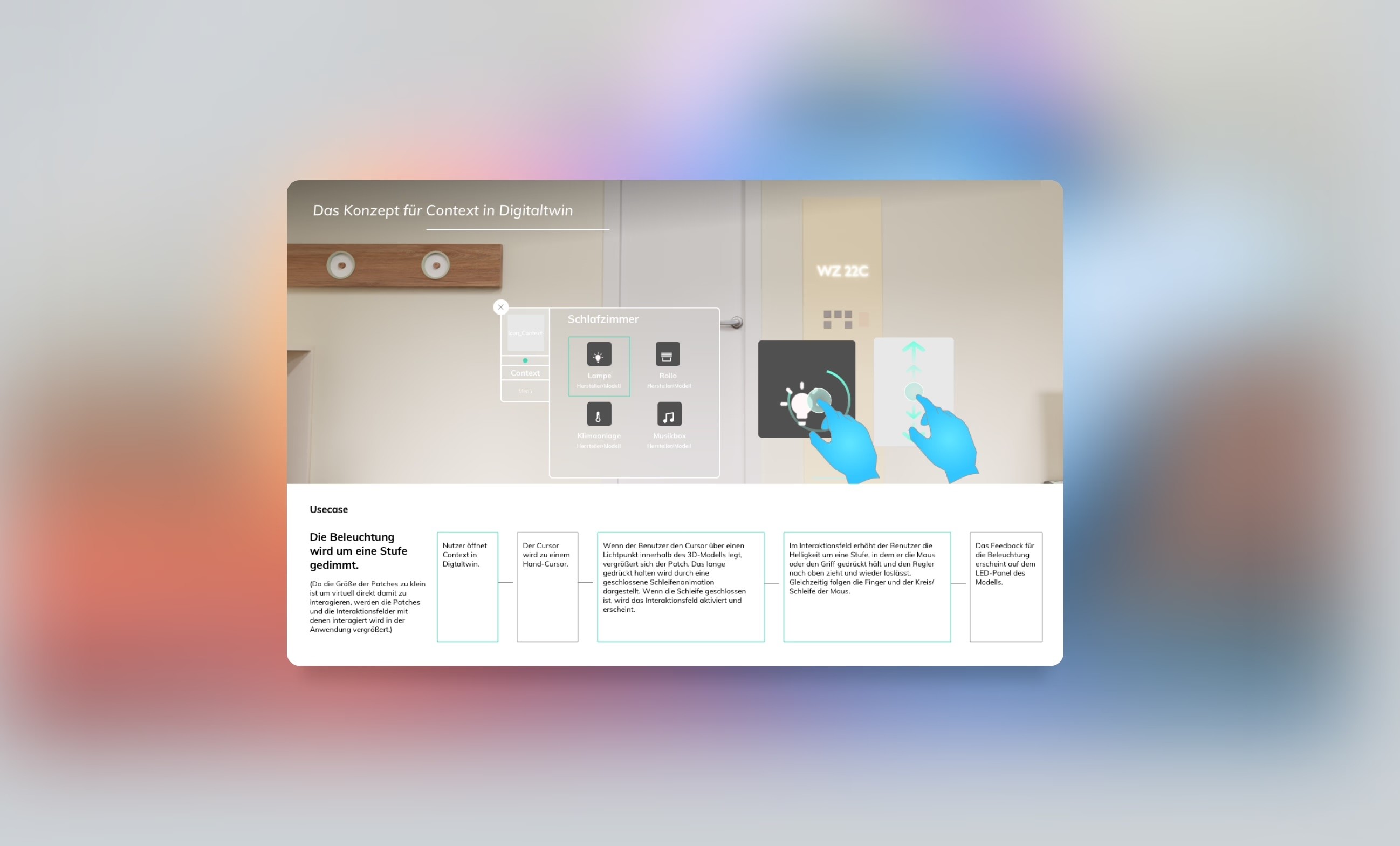
The interaction model resolves this through proximity-based menus: the user points the controller at a device, and a contextual menu opens nearby with the relevant controls and information. The menu uses the visual language of the real product the partner is testing, but its layout is designed for the controller, not for a finger on a physical surface. Menus open and close cleanly so that the spatial environment stays uncluttered, and the overall flow through the showroom mirrors how a partner would physically walk through it.

Validation was done through internal user testing with team members and partners, focused specifically on whether VR-novice users could identify a device and operate it correctly without instruction.

Digital Twin device control
03 · Outcomes

Still in use after the constraint that prompted it

Digital Twin has outlasted the situation that originally made it necessary. Years after the pandemic that drove the requirement for remote testing, the application is still actively used as a remote VR demonstration tool inside the Digital Pflege 4.0 programme, the DAI-Labor's ongoing initiative on smart-home and assistive technology for care contexts.

For a tool built under short-term pressure, the strongest form of validation is that it remained useful long after the original constraint disappeared. The decision to base the experience on a literal 1:1 reproduction of a real showroom, rather than on an abstract demo environment, is part of why it has stayed relevant across both the KosmoS partnership and the follow-on programmes.

Designing an intuitive and user-friendly interaction system for visitors with little to no VR experience posed a significant challenge. Additionally, ensuring seamless navigation within the virtual space was crucial to prevent users from feeling disoriented or experiencing motion sickness.